Industrial Intelligence
AI-assisted lockout tagout

Your lockout sheets, ready in minutes. Not in weeks.

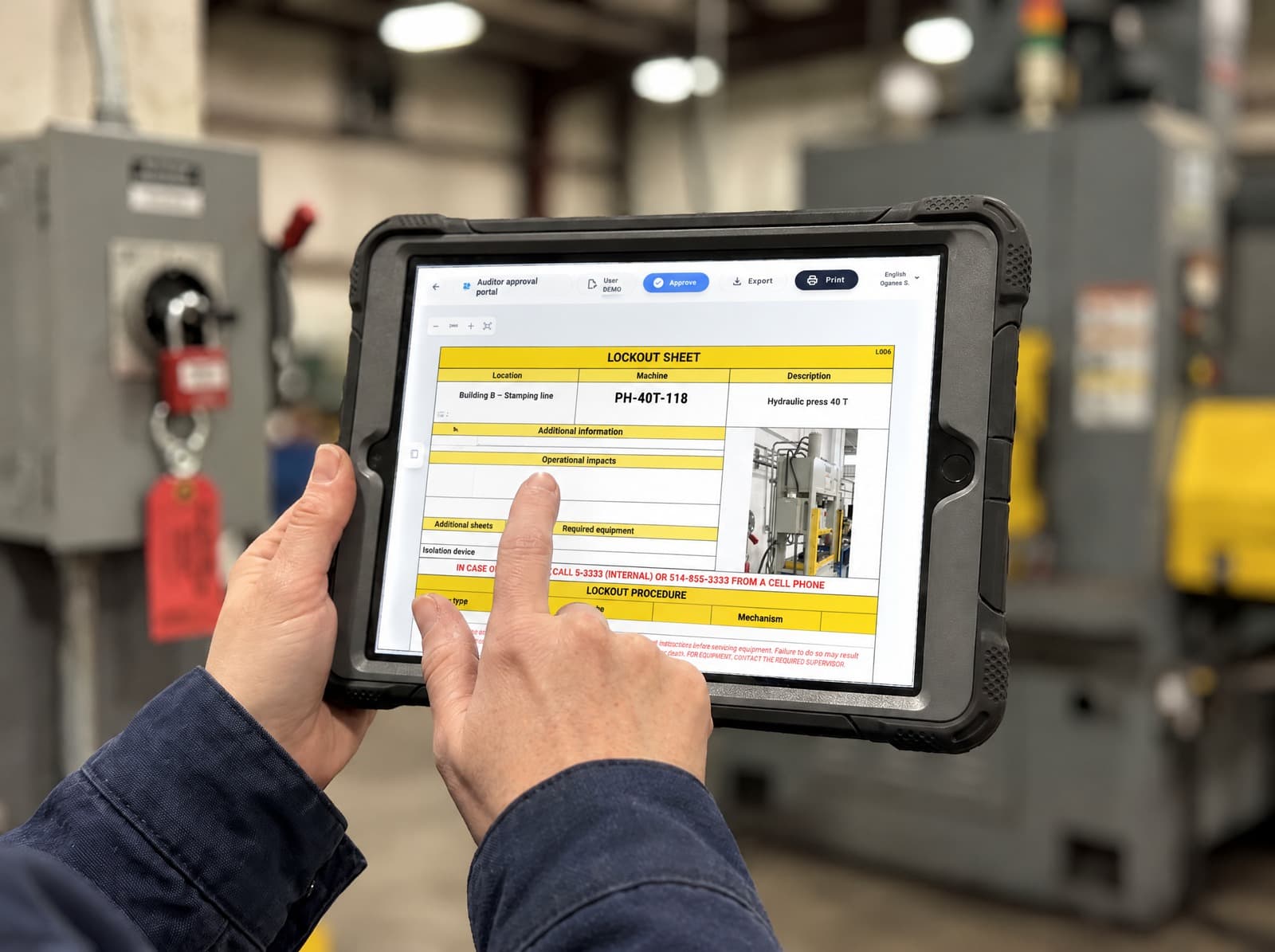
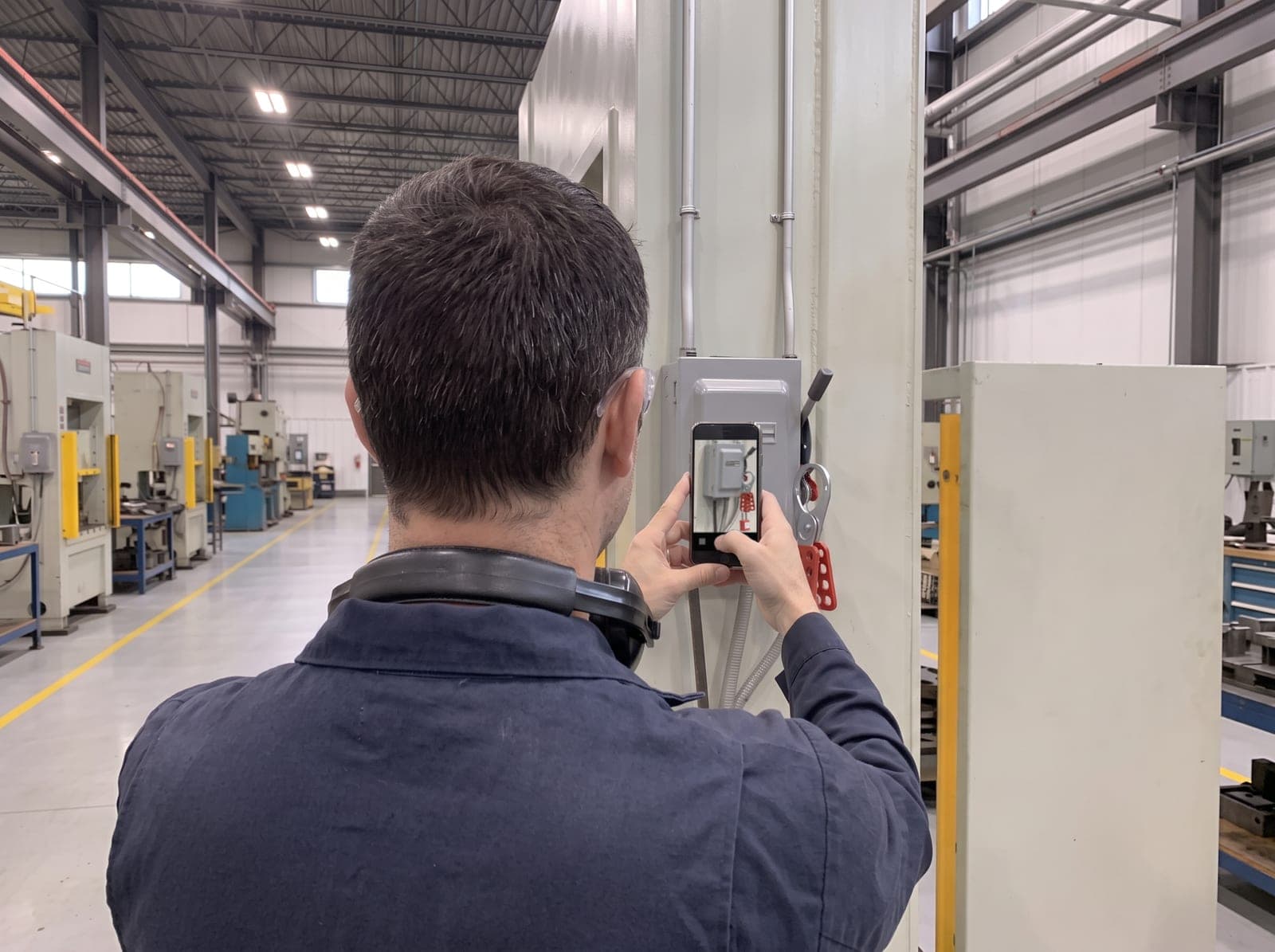
Your teams take photos on the equipment. LOTO-AI generates the complete sheet, your validator reviews and signs it. Compliant, traceable, printable.

Set up without a complex overhaulBuilt for floor adoptionCompatible with your current equipment
LOTO-AI · Sheet II-0042Approved
Lockout sheetII-0042
Location

Building B, press room

X: 12Y: 07
Maximo
PH-40T-118
Description

40 ton hydraulic press

No.
Additional information
0
Work on installations of 50 volts and above must be carried out by an electrician, and zero energy must be confirmed with a multimeter.

In an emergency, immediately notify the area supervisor

Lockout procedure
NoSteps
RefPhoto
Instruction
Energy type
Mechanism
Shutdown
0
Before any procedure, NOTIFY THE AREA SUPERVISOR. All operations must be carried out by a PERSON TRAINED IN LOCKOUT TAGOUT.
10
A

Open the main disconnect switch on the distribution panel.

Location: Panel P-4, east wall

Electrical 600 V
Padlock + hasp
20
B

Close the compressed air supply valve and bleed the line.

Location: Valve V-12, operator side

Pneumatic
Lockable valve cover
30
C

Release the residual pressure from the hydraulic accumulator.

Location: Hydraulic unit, rear

Hydraulic
Bleed valve + padlock
40
Verify zero energy with an electrician, or perform an equipment start test using the appropriate procedure.

Sheet generated from 6 field photos. 3 energy sources identified.

AI verified

The solution connecting the most factories in Quebec.

The challenges on the floor

Lockout protects your people. Your procedures must keep up.

Hard-to-maintain procedures increase operational risk, slow teams down and complicate audits.

Here are three challenges manufacturers face.

01

Procedures that quickly become outdated

A modified machine, a reconfigured line, and the posted sheets no longer match the floor. Manual updates fall behind the changes.

Impact: less safe interventions and wasted time.

02

Staying compliant becomes a full-time job

Tracking CSA Z460 / OSHA requirements across hundreds of assets and multiple sites ties up your experts continuously, at the expense of operational priorities.

Impact: slower rollout and difficult standardization.

03

Audits demand immediate traceability

When an auditor or a customer asks who approved what, and when, gathering evidence scattered across binders, drives and buildings takes days.

Impact: longer audits and non-compliance risk.

LOTO turns these challenges into lasting compliance.

The impact

Operational impact

What LOTO-AI concretely changes by replacing manual sheet writing, from the very first weeks.

−0%
Drafting timeBy removing double entry and the tedious manual formatting of Excel or Word sheets.
−0%
Execution errorsThanks to clear visual instructions and an AI compliance check that remove grey areas of interpretation.
−0%
Time per sheetFrom nearly 15 hours down to about 45 minutes per lockout sheet.

* Figures measured during a client deployment.

How it works

From photo to approved sheet, in three steps

The complete process, from capture to approval, without leaving the platform.

1

Capture in the field

LOTO-AI · New procedureStep 1

New procedure

Select your field collections

Press 40 T collection
Finalized

M. TremblayJune 12, 2026

5 notes
+3
Compressor C-201 collection
Finalized

J. BélangerJune 11, 2026

8 notes
+2
Generate the sheet (1 collection)

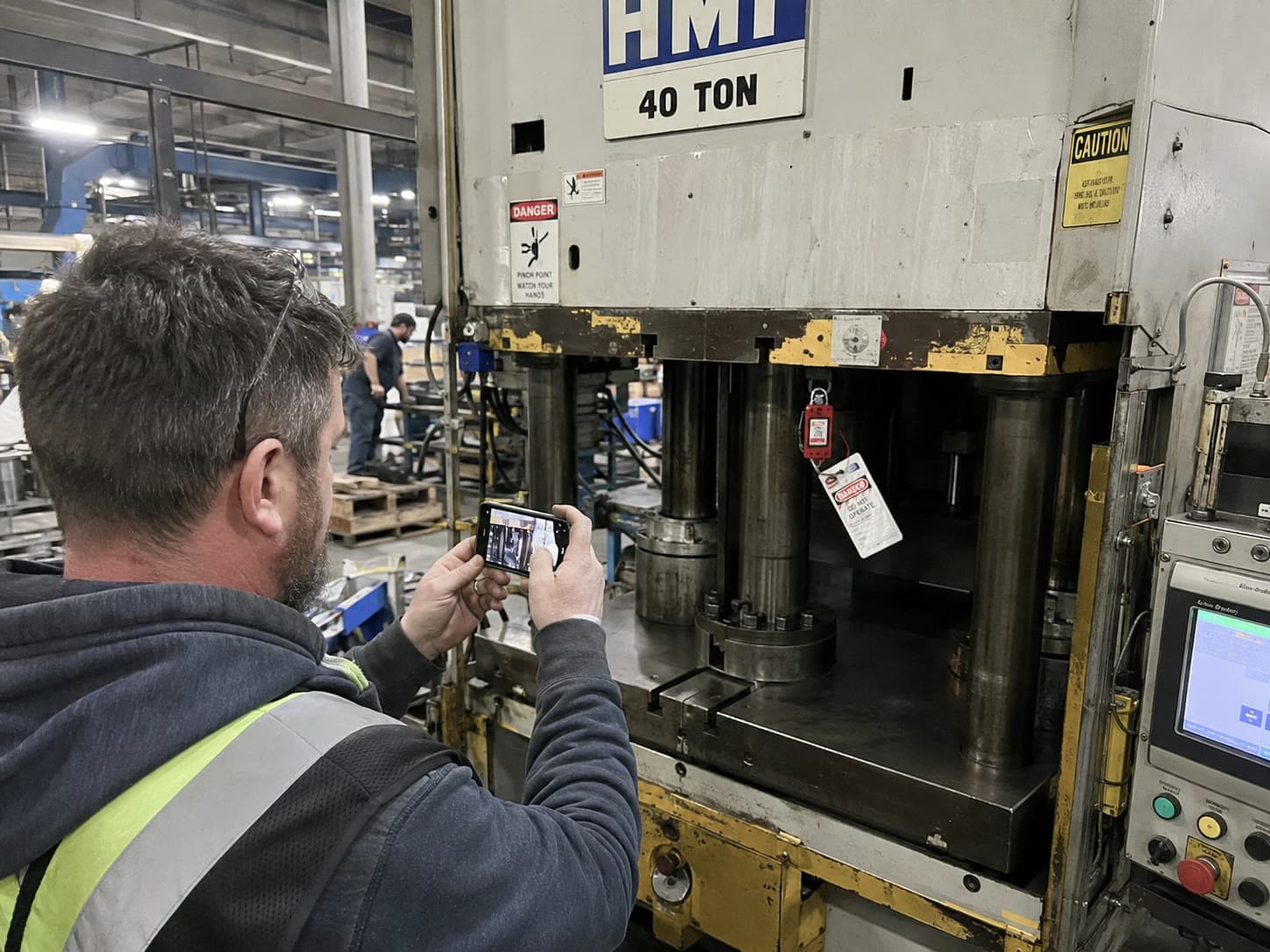
Your team captures photos and notes directly on the equipment. Collections arrive in LOTO-AI, ready to be turned into a sheet, with no forms and no trip back to the office.

2

The AI generates the complete sheet

LOTO-AI · HomeStep 2
AI generation in progress…
Draft

PH-40T-118

Building B
just now

On the home screen, the equipment card shows the generation live. A few minutes later, the complete sheet appears as a draft: steps, energy sources, release sequence, mandatory notices, in your official format.

3

Review and approve

LOTO-AI · ApprovalStep 3
Lockout sheetII-0042
Role
Signature
Name
Date
Integrator
M. Tremblay
M. TREMBLAY
June 12, 2026
Technical Expert Validator
S. Gagnon
S. GAGNON
June 13, 2026
Sign and finalize

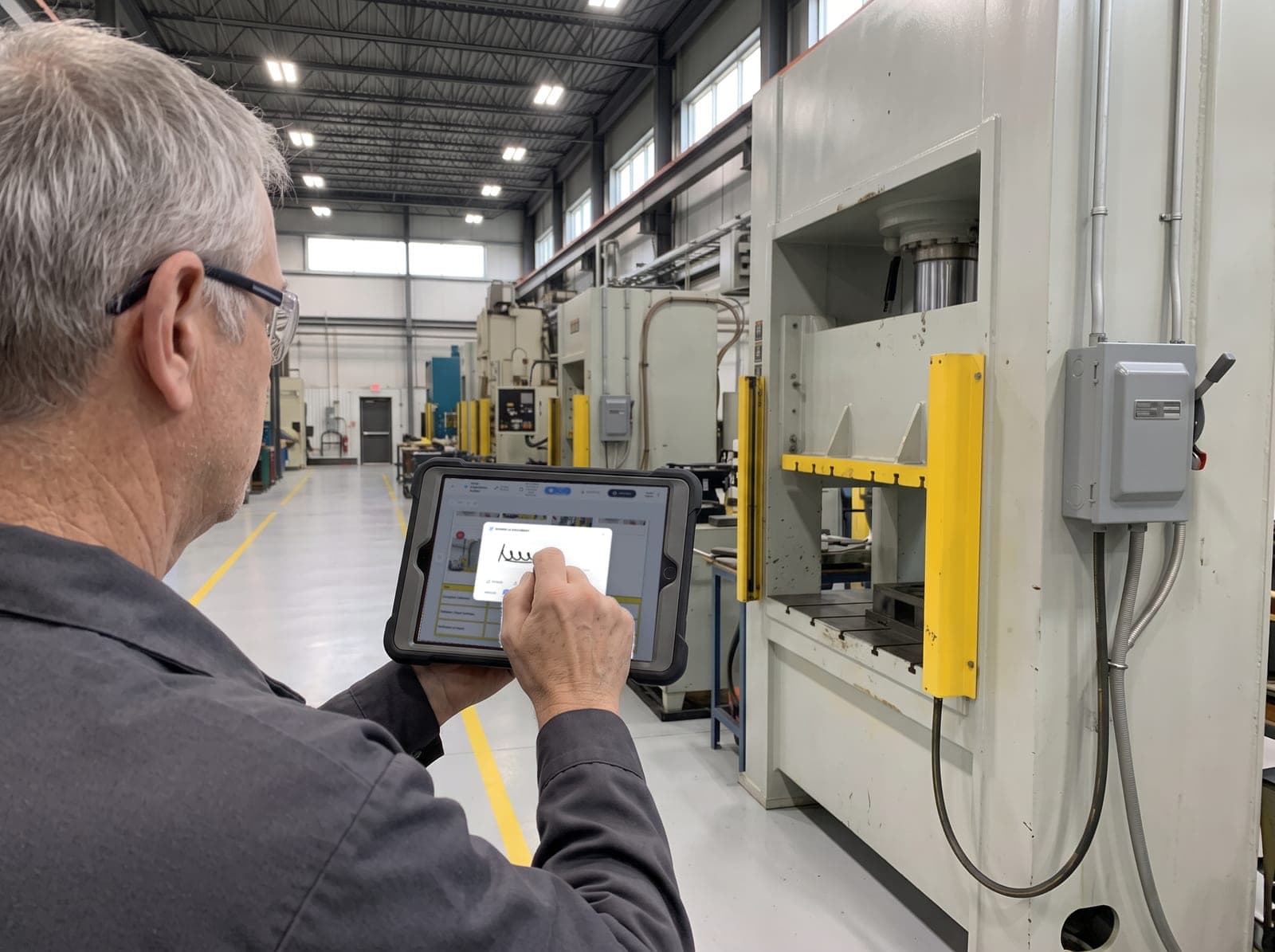
Your expert validator reviews, annotates if needed, then signs. The sheet becomes official: versioned, traceable, ready to print at the workstation.

The product

What your team can actually do

Four capabilities, shown as they exist in the platform.

01Generate

A complete fleet of sheets, visible at a glance

Every piece of equipment has its sheet, every sheet has a status. Your teams create, the AI generates, and you see in real time what is approved, under review or in draft.

  • AI generation from field photos and notes
  • Clear statuses: draft, under review, approved
  • Filters by site, building and owner
LOTO-AI · HomeLive
Approved85
Under review14
Changes requested3
Drafts22
Approved

PH-40T-118

Laval plant / Building B
M
M. Tremblay
Modified2 h ago
Under review

CONV-B12-204

Laval plant / Building A
J
J. Bélanger
Modified4 h ago
Draft

CMP-C201-071

Quebec City plant / Compressors
S
S. Gagnon
Modifiedyesterday
AI generation in progress…
02Edit

Edit a sheet in natural language

Describe the change, by voice or keyboard. The assistant edits the sheet and highlights exactly what changed. Nothing is modified behind your back.

  • Chat built into the editor, voice input included
  • Every modified cell is highlighted in amber
  • Humans always keep control: nothing is published without validation
LOTO-AI · EditorAI chat
Chat
Source gallery

Hello! I know this sheet in detail. Ask me for a modification or a verification.

Add a step for the steam valve before the bleed, with a lockable valve cover.

Step 25 added: “Close steam valve V-8 and install the lockable valve cover”. I renumbered the bleed step and updated the cell.

No
Ref
Instruction
Energy type
Mechanism
20
B

Close the compressed air supply valve and bleed the line.

Location: Valve V-12, operator side

Pneumatic
Lockable valve cover
25
D

Close steam valve V-8 and install the lockable valve cover.

Location: Steam line, mezzanine

Steam
Lockable valve cover
03Audit

Every sheet goes through an AI compliance audit

Before a reviewer opens a sheet, the AI has already checked it against your internal standards and CSA Z460 / OSHA requirements. Gaps are flagged, step by step.

  • Automatic check at submission, or in batch
  • Gaps flagged directly on the affected step
  • Your internal standards serve as the audit reference
LOTO-AI · ApprovalsAI audit
Equipment
Submitted by
AI check
Action
Press 40 T
M
M. Tremblay
June 12, 14:32
Verified
Conveyor B-12
J
J. Bélanger
June 12, 11:08
Flagged
Compressor C-201
S
S. Gagnon
June 11, 16:47
Verified
04Approve

A formal approval, signed and traceable

The workflow reflects your reality: the integrator submits, the technical expert validator reviews, annotates and signs. Every action is timestamped in the sheet's history.

  • Mandatory validator signature before finalization
  • Change requests annotated and sent back to the editor
  • Full versioning: every revision is kept
LOTO-AI · WorkflowTraced
DraftUnder reviewApproved
Lockout sheetII-0042
Role
Signature
Name
Date
Integrator
M. Tremblay
M. TREMBLAY
June 12, 2026
Technical Expert Validator
S. Gagnon
S. GAGNON
June 13, 2026
History: submitted by M. Tremblay · approved by S. GAGNON, Technical Expert Validator
Reviewer annotations pinned directly on the steps
Enterprise platform

Ready for all of your operations

Designed for organizations with multiple sites, multiple roles and audit requirements.

Organization

Laval plant
Building A, assembly
46
Building B, presses
31
Quebec City plant
Welding
28
Compressor room
12

Batch AI audit: 19 sheets

17
Submitted automatically
2
Flagged by the AI
19
Sheets verified

Multi-site, multi-building

A plant → building → equipment tree, with shared filters across the whole platform.

Roles and permissions

Integrators, reviewers, expert validators: everyone sees and does what their role allows.

Versioning and history

Every sheet keeps its versions, its signatures and the complete action log.

Bilingual FR / EN

The interface and the sheets exist in French and English, per user.

Batch printing and PDF

Print a sheet at the workstation or export dozens of sheets in one operation.

Notifications and review queues

Validators see what awaits them; integrators know where every sheet stands.

Sustainable management

Stay in control of your lockout program.

Your procedures evolve with your equipment, while staying documented, validated and traceable.

01Governance

Every sheet follows your process.

Define the roles, the owners and the validation steps specific to your organization.

02Traceability

Every decision is kept.

History of versions, signatures and changes, available at any time.

03Recognized practices

Procedures aligned with recognized references.

Structure your sheets according to the recommendations of the CNESST and CSA Z460, while respecting your internal standards.

Final validation remains the responsibility of your organization.

04Continuous improvement

Your sheets evolve with your plant.

Update your procedures when your equipment, your methods or your requirements change.

LOTO-AI helps structure your procedures according to recognized best practices. Final validation remains the responsibility of your organization.

FAQ

The questions your leadership team will ask

LOTO-AI is a cloud platform: nothing to install on your workstations. Your site and building structure is configured in a few hours, and your teams are guided by built-in tutorials from the first login. Most customers generate their first sheets within the first week.

Yes. Your current procedures serve as the starting point: they are imported into the platform, then normalized into your official format. You keep the history and restart on a clean, uniform base.

No: it is a design principle. The AI generates and audits, but no sheet becomes official without going through the approval workflow: review, annotations, then the mandatory signature of the technical expert validator. Every action is traced in the history.

The AI audit checks every step against lockout requirements (energy source identification, zero energy verification, release sequences) and against your internal standards, which you configure as the reference. Signatures, versioning and history provide the traceability required in an audit.

Your data is hosted in a secure cloud environment, isolated per organization. Access is role controlled and every action is logged. Hosting and security details are covered during the demonstration.

See your own equipment in LOTO-AI.

In 30 minutes, we generate a lockout sheet from the photos of one of your machines, and you judge the result for yourself.